Choosing the right text effect changes how people read your design. Shadow font styles add depth without needing extra graphics or complex layering. When you compare shadow font styles, you decide between clarity, mood, and visual weight. A soft drop shadow might separate text from a busy background, while a hard 3D effect can evoke a specific era. Understanding these differences helps you match the typography to your project goals.
What defines different shadow font styles?
Shadow effects generally fall into a few categories based on where the shadow sits relative to the letterform. A standard drop shadow sits behind the text, creating separation from the background. Inline shadows appear inside the strokes of the letters, giving a carved or stamped look. Three-dimensional styles extend the face of the font to create depth, often looking like blocks or extruded shapes.
Each style communicates a different feeling. Soft shadows feel modern and clean. Hard, distinct shadows often feel retro or bold. If you are looking for modern aesthetic options, you will likely find softer edges and subtle offsets. These work well for user interfaces or clean branding where readability is the priority.
When does a drop shadow improve readability?
Text becomes hard to read when it sits directly on top of a complex image or a color that is too similar to the font color. Adding a shadow creates a buffer zone. This is common in video thumbnails, posters, and web headers. The key is contrast. A white font with a black shadow works on almost any background.
However, not every situation needs heavy effects. Sometimes a simple offset is enough. You can find a collection of typefaces that have these effects built into the glyph design. Using a font with built-in shadows saves time compared to applying CSS or Photoshop effects manually.
For example, searching for Shadowed fonts can give you pre-styled options. This ensures the shadow weight matches the letter weight perfectly, which is hard to achieve with manual effects.
Which style fits retro or vintage designs?
Vintage design often relies on heavy depth. Think of old signage, carnival posters, or 1950s diner menus. These styles use long shadows or multi-layered colors to make the text pop. A 3D extruded font mimics physical lettering made from wood or metal.
If you need bold choices for headers, look at these display recommendations to save time. Display fonts handle large sizes better than body text fonts. They maintain their shape even when the shadow adds significant width to the characters.
Styles like 3D Shadow typefaces are popular for this purpose. They bring an immediate sense of nostalgia. Use them for logos or main titles, but avoid them for long paragraphs. The extra visual noise makes reading large blocks of text tiring.
What errors ruin text shadow effects?
Many designers make the shadow too dark or too blurry. A heavy blur can make text look muddy, especially on small screens. Another common mistake is ignoring the light source. If your design has a light coming from the top left, but your text shadow falls to the top left, it looks like the text is floating incorrectly.
Color choice matters too. Using a colored shadow on a colored background often reduces contrast instead of improving it. Stick to neutral shadows unless you are going for a specific artistic glitch effect. Also, avoid using multiple shadow layers unless the style calls for it. Stacking effects often looks messy.
How do you pick the right weight and depth?
Match the shadow intensity to the importance of the text. Primary headlines can handle heavier shadows. Subheaders should be lighter. Body text rarely needs a shadow unless it is overlaying a video or image. In those cases, keep the offset small, around 1 or 2 pixels, with low opacity.
Test your design in grayscale. If the text disappears when you remove the color, the contrast is too low. The shadow should help the text stand out, not compete with it. If you are unsure, start with no shadow and add it only if the text fails to separate from the background.
Practical checklist for using shadow fonts
- Check contrast by viewing your design in black and white.
- Ensure the shadow direction matches other elements in the layout.
- Keep blur radius low for small text to maintain sharpness.
- Use built-in shadow fonts for consistency rather than manual effects.
- Avoid using heavy 3D styles for body copy or long sentences.
- Test readability on mobile devices where screens are smaller.
Start by selecting one style that matches your brand voice. If you want clean and modern, go for a subtle drop shadow. If you want bold and loud, choose a 3D display face. Apply it consistently across your project to maintain a professional look.
Get Started Discover Free Shadow Display Fonts for Personal Projects
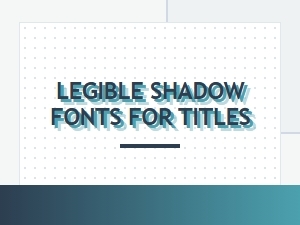 Legible Shadow Fonts for Eye-Catching Titles
 Free Fonts with Shadow Effects for Projects
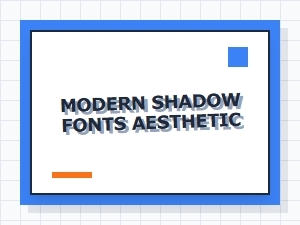 Free Modern Fonts with a Subtle Shadow Aesthetic
 Mid-Century Modern Fonts for Evocative Shadow Displays
 Shadow Fonts for Luxury Branding and Premium Use