Modern shadow fonts aesthetic brings depth to flat designs without adding clutter. It creates hierarchy and helps headers stand out against busy backgrounds. Designers use this style to grab attention quickly on social media feeds and posters. The effect adds weight to the text, making it feel tangible rather than digital.
What defines the modern shadow look?
Unlike old drop shadows that relied on heavy blur, current trends favor hard edges. The offset is often distinct, creating a layered paper cut effect. You might see this in Shadow typefaces that mimic retro signage. The color of the shadow often differs from the text to create vibration or contrast.
If you need options for personal work, browse this collection of shadow effect typefaces to see what fits your project. These files allow you to test different weights before committing to a design.
When should you use shadow typography?
Use it when plain text gets lost. Thumbnails and social media banners benefit from the extra weight. It helps guide the eye to the most important message. This style works well for event flyers where the date and time need immediate recognition.
For headlines, check out these legible shadow fonts for titles to ensure viewers can read them quickly. Readability drops if the shadow interferes with the letterforms.
Which styles avoid looking dated?
Avoid soft, gray blurs that look like default word processor settings. Instead, choose colored shadows or double layers. Fonts like Vintage styles often handle this well by using hard offsets. The key is intentionality; the shadow should look like a design choice, not an accident.
You can see the differences in this comparison of shadow font styles before downloading. Seeing them side by side helps you pick the right weight for your layout.
What mistakes reduce readability?
Low contrast between the text and shadow kills legibility. Also, too much offset makes the letters look disconnected. Keep the shadow close enough to maintain unity. If the shadow is too far away, the brain reads them as two separate objects.
Always verify your colors meet accessibility standards. Check color contrast ratios to ensure accessibility for all viewers. This step prevents your design from becoming invisible to people with visual impairments.
How do you pair these fonts with backgrounds?
Solid colors work best. Busy patterns compete with the shadow effect. If the background is complex, add a solid shape behind the text. This creates a clean zone for the typography to sit on.
Follow these steps to finalize your design:
- Choose hard edges over soft blurs
- Test readability on mobile screens
- Keep shadow offset consistent
- Verify contrast against the background
 A Guide to Free Shadow Fonts for Personal Projects
 Discover Free Shadow Display Fonts for Personal Projects
 Legible Shadow Fonts for Eye-Catching Titles
 Free Fonts with Shadow Effects for Projects
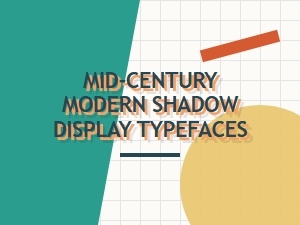 Mid-Century Modern Fonts for Evocative Shadow Displays
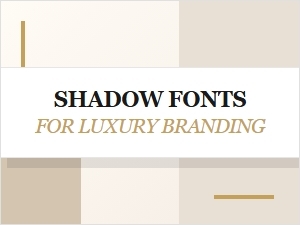 Shadow Fonts for Luxury Branding and Premium Use