Neon signs lit up main streets in the 1950s, defining the visual language of diners, theaters, and motels. That same energy works for modern logos and packaging. Brands use this style to catch the eye and trigger nostalgia. It signals fun, nightlife, or classic quality without needing complex imagery. Choosing the right typeface ensures your design feels authentic rather than dated.
What makes a font look like neon?
True neon typography relies on layered effects to mimic glowing gas tubes. A solid core color sits inside a lighter outline, often surrounded by a soft glow or drop shadow. This depth creates the illusion of light emitting from the letters. Some typefaces include alternate characters with broken lines to simulate real tubing connections. For example, Neon City offers these layered details out of the box. You do not need to build the effect manually in Photoshop if the font includes these features.
The color palette matters just as much as the shape. Classic combinations use hot pink against dark blue or bright yellow on black. These high-contrast pairings replicate the look of glass tubes filled with different gases. Understanding neon lighting history helps you pick colors that feel accurate to the era. Avoid muted pastels if you want that electric buzz.
Where does this style fit best?
This aesthetic works well for hospitality and entertainment businesses. Bars, coffee shops, and burger joints often use these fonts to suggest a lively atmosphere. Event invitations for retro-themed parties also benefit from the glowing text effect. It draws attention on social media feeds where bright colors stop the scroll. If you prefer a cleaner look, explore our mid-century modern display typefaces for commercial projects that need less flash.
Packaging is another strong use case. Limited edition soda cans or snack boxes can use neon lettering to stand out on shelves. The style implies a treat or a special occasion. However, it might not suit every industry. Financial institutions or law firms usually avoid this look. For those sectors, shadow fonts for high-end branding provide a more serious tone while keeping depth.
What are common design errors?
Legibility is the biggest risk with glowing effects. Too much blur or glow can make the letters merge into the background. Always test your design at small sizes to ensure people can read it. Dark backgrounds work best to make the light pop. Putting bright neon text on a white page often looks muddy instead of glowing.
Overuse is another problem. Using neon styles for body text makes reading difficult. Reserve these typefaces for headlines, logos, or short phrases. Pair them with simple sans-serif fonts for smaller information. Retro Glow works well for titles but should not be used for paragraphs. Keep the rest of your layout clean to let the effect shine.
How do you choose the right typeface?
Look for fonts that include multiple layers or OpenType features. This allows you to toggle the glow effect on or off depending on the background. Some designers prefer single-line fonts they can stroke manually. Others want the complete effect built-in to save time. Check the license carefully to ensure you can use the font for your specific project.
Variety within the retro genre is wide. Some fonts mimic the 1920s art deco style, while others feel like 1980s synthwave. Define your specific era before downloading. Our specialized retro typefaces collection covers various decades. If you want something softer, Vintage Shadow provides a subtler approach than full neon.
Next steps for your design
Start by sketching your logo or headline on paper. Decide where the light source comes from to keep shadows consistent. Pick two colors maximum for the text to avoid visual clutter. Test the design on both light and dark backgrounds before finalizing.
- Verify the font license allows commercial use.
- Check legibility at mobile screen sizes.
- Ensure high contrast between text and background.
- Limit neon effects to headlines or logos.
- Pair with simple secondary fonts for body text.
 Mid-Century Modern Fonts for Evocative Shadow Displays
 Shadow Fonts for Luxury Branding and Premium Use
 Chunky 3d Shadow Fonts for Premium Packaging
 A Guide to Free Shadow Fonts for Personal Projects
 Discover Free Shadow Display Fonts for Personal Projects
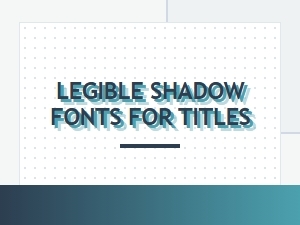 Legible Shadow Fonts for Eye-Catching Titles